Spillway

Your email is full of work. Spillway helps you see it.
Email is where requests, dates, documents, family logistics, travel plans, bills, newsletters, and unfinished work all collide.
Spillway is a privacy-first email client for Mac and iPhone. As you read ordinary mail, it notices what messages ask of you: requests, deadlines, commitments, and things you are waiting on. It gathers that work into one place, and every item keeps its connection to the message it came from.
Spillway helps you understand and manage that work. It does not do the work for you, and it does not act on your behalf.
Spillway is currently available through a private TestFlight beta.
Explore features · Visual guide · Why Spillway exists · Private beta
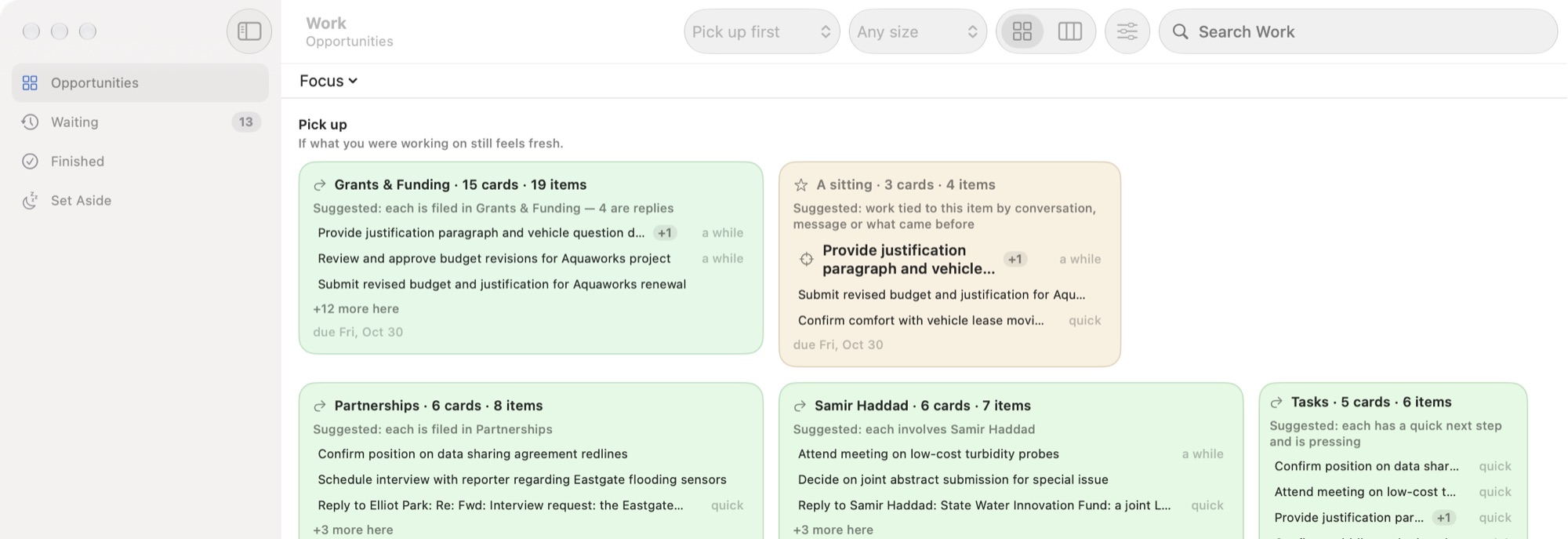
Screenshots on this site show a fictional demonstration mailbox. The categories, requests, dates, and work in them are Spillway's own results on that mail.
Your email, understood
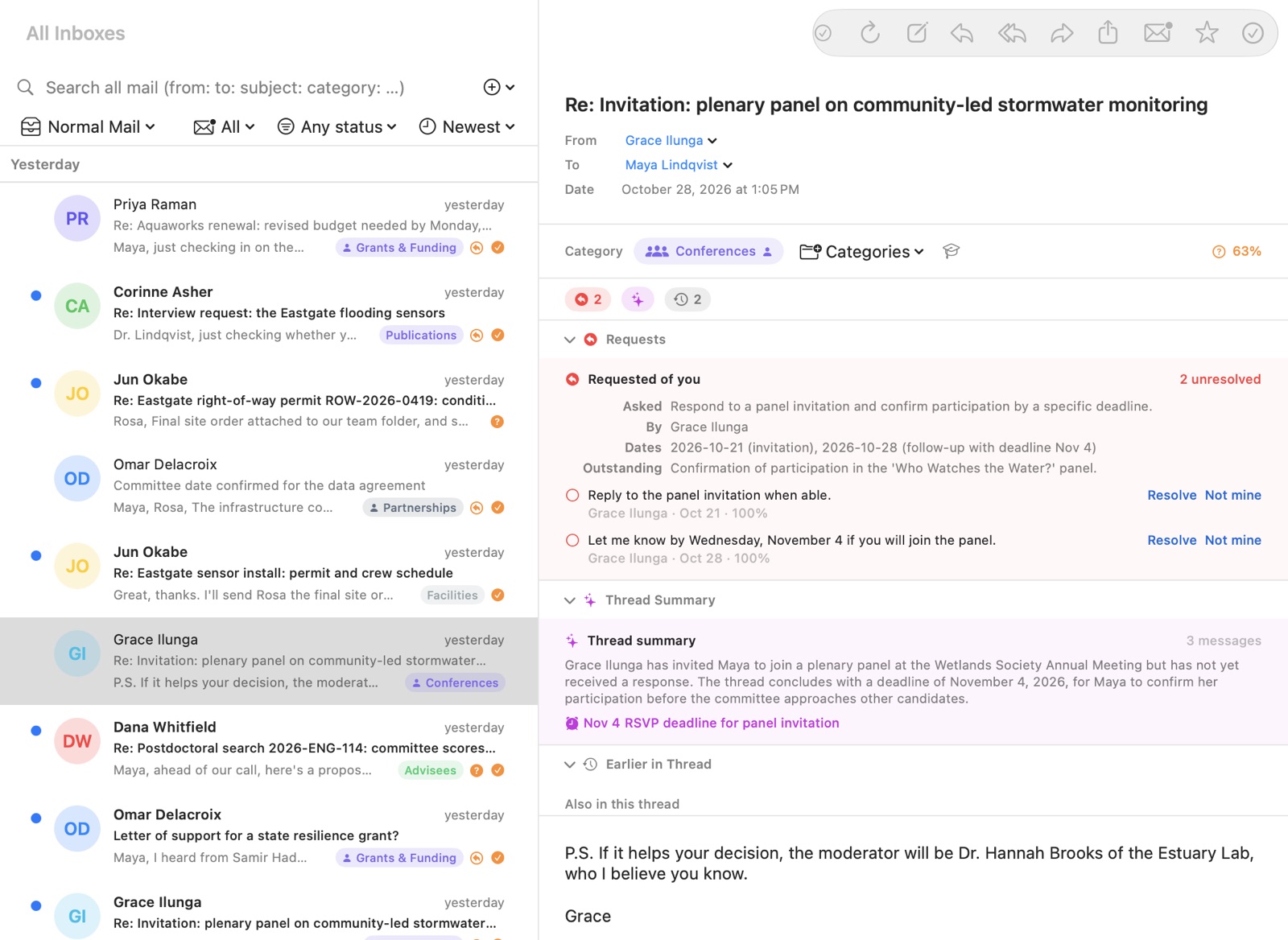
Spillway is a real Mac email client, not a dashboard beside one. You read and answer ordinary mail.
While you read, Spillway marks what a message asks of you: who asked, what they asked for, and by when. It also summarizes the thread around it. Each request can be resolved, or marked as not yours.
Nothing important gets buried
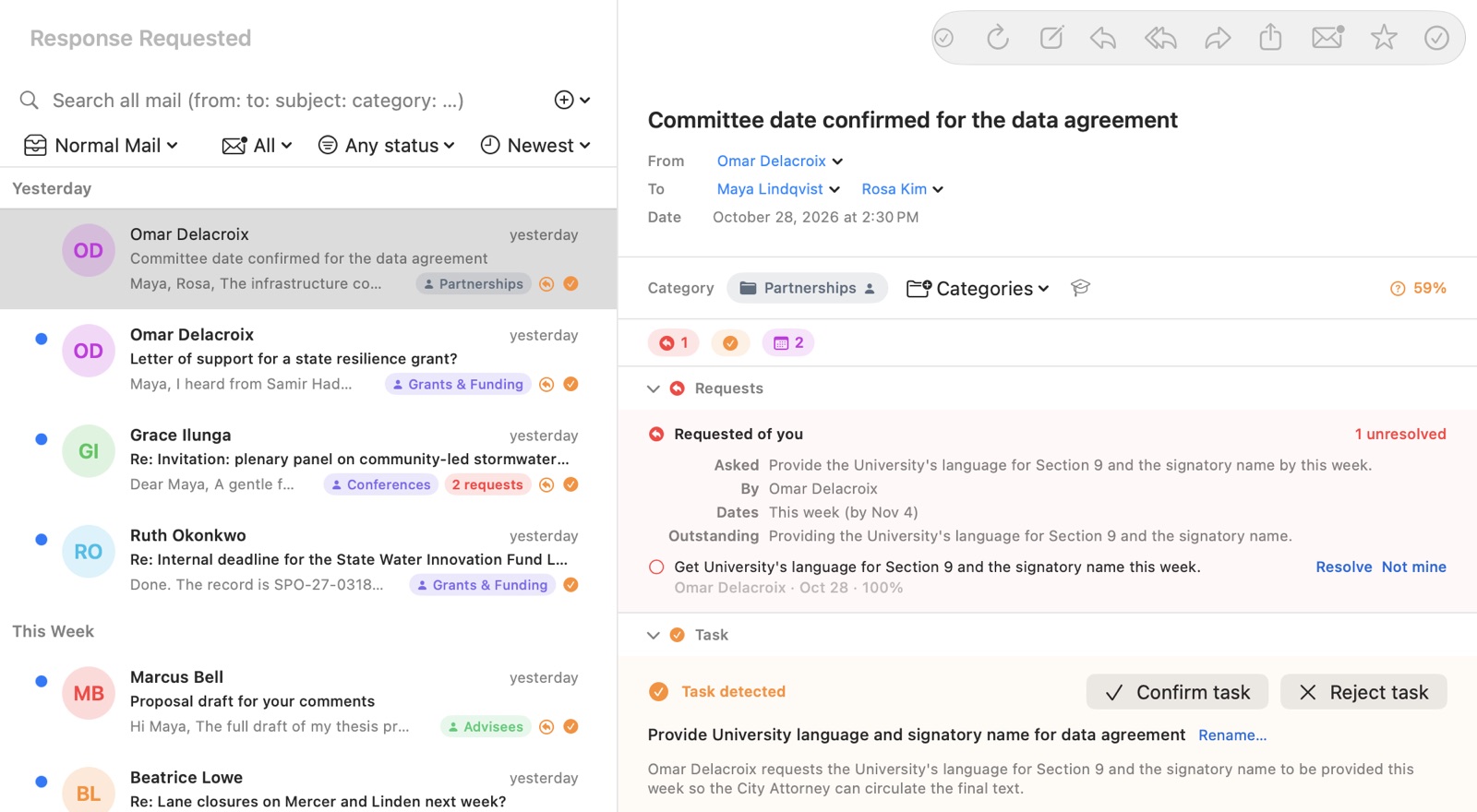
Response Requested gathers the messages that are waiting on you, so a question in the middle of a long thread does not disappear under newer mail.
Spillway proposes. You decide. A task Spillway detects is shown as detected, with Confirm and Reject beside it. Your confirmation is recorded as your decision, separately from what the model suggested. Spillway does not silently turn every guess into a task.
See the work behind the messages
On Mac, the Work window is a workspace of its own, separate from your inbox. It shows open work as suggested opportunities: things that make sense to do together, such as everything filed in one category, everything involving one person, or one conversation's related asks.
Pick up suggests work that continues what you were recently doing. Fresh start suggests work for when you are starting clean. The groupings are Spillway's suggestions, never projects you have to maintain, and you can correct them.
Waiting keeps the work whose next step is someone else's, and Set Aside and Finished keep what you have put down or completed.
Keep the evidence connected
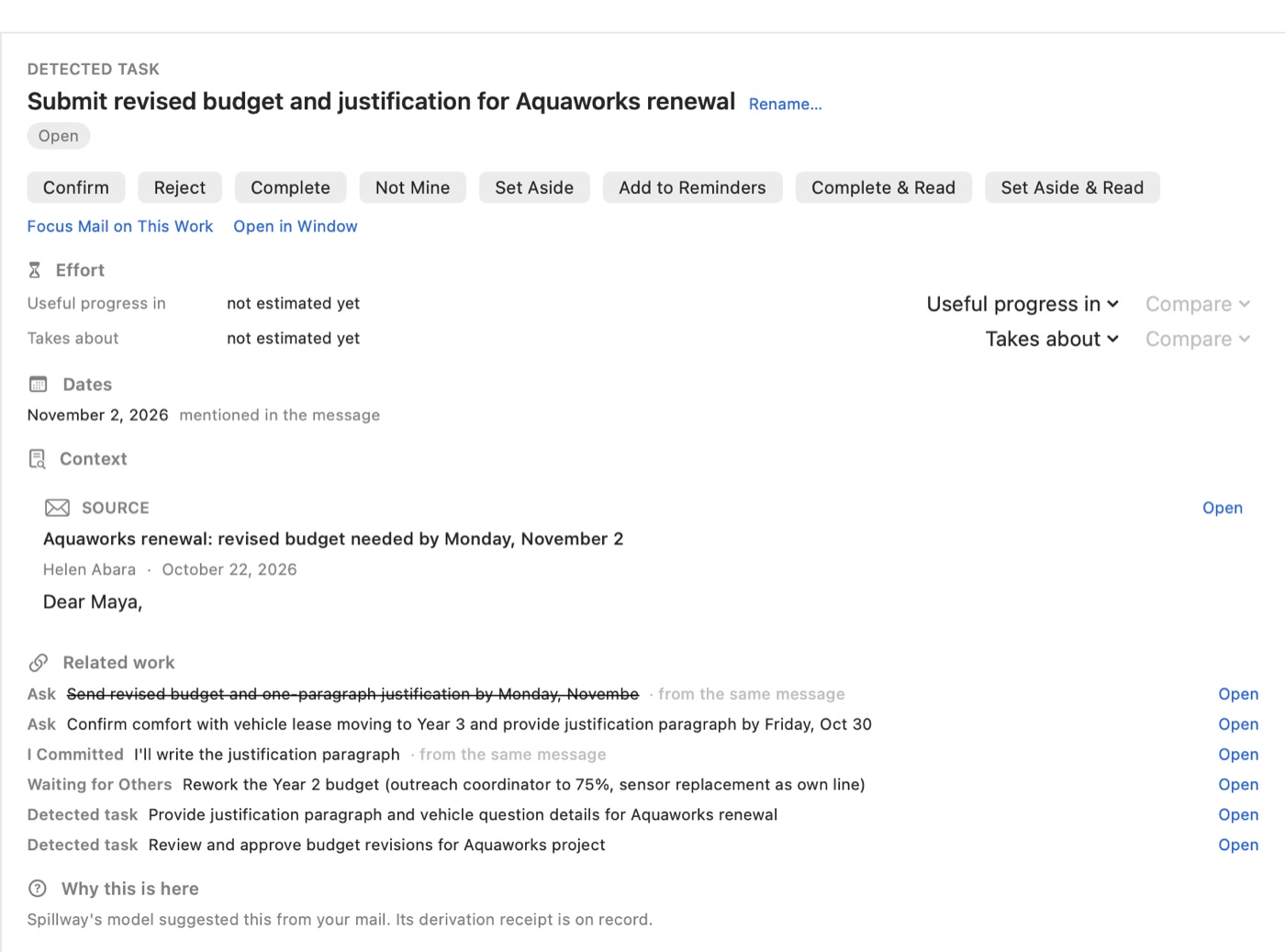
Every piece of work keeps its source. Opening one shows what it is, why it exists, its dates, the message it came from, and the related asks and commitments from the same conversation. You can then complete it, set it aside, say it is not yours, or reply.
Read the ideas behind Spillway's evidence and attention model
AI you can correct
AI suggestions are proposals, not commands.
Spillway is designed to keep AI output, directly observed facts, and human decisions distinguishable. That makes it easier to explain why something was suggested, correct mistakes, and learn from user decisions without pretending a model guess was a fact.
Explainable AI · From data to knowledge
Your AI, your choice
Different people and accounts can have different privacy needs.
Spillway supports local AI and optional cloud AI providers. The design keeps the location of inference separate from the meaning and authority of the evidence it produces.
Why local AI matters · Compare local and cloud AI
Focus instead of constant interruption
The goal is not Inbox Zero for its own sake.
Spillway is designed to help you focus on one kind of work at a time: requests, scheduling, reading, documents, follow-ups, or whatever matters in the moment.
That reduces the attention cost of repeatedly switching among unrelated messages.
Built for changing human systems
People change roles. Projects start and end. Old patterns stop being useful.
Spillway is designed so evidence, knowledge, categories, and learned context can evolve without erasing where they came from.
The ideas behind Spillway · How Spillway is built
Privacy is part of the design
Spillway does not operate a server that receives and stores your Gmail content.
When you choose local AI, processing happens through the local service you configure. When you choose a cloud provider, selected content is sent directly to that provider under its terms.
Spillway does not sell Gmail data, use it for advertising, or train a general-purpose AI model with it.
Read the Privacy Policy · Public ideas, private code
Private beta
Spillway is still early software. Features may be incomplete or change, and testers should keep access to Gmail or another established email client.
Current availability and testing expectations are described separately so the rest of the site can focus on the product's intended design.
Learn about the private beta · Current progress
Contact
Questions, privacy requests, beta inquiries, bug reports, and feedback may be sent to [email protected].
Documentation provenance: Iterative human–AI construction. See Documentation Provenance.