Features
Spillway is designed to help you spend less time managing email and more time doing the work inside it.
This page describes the product's intended capabilities. For current beta availability and limitations, see Current Progress and Private Beta.
Screenshots on this site show a fictional demonstration mailbox. The categories, requests, dates, and work in them are Spillway's own results on that mail.
Organize messages your way
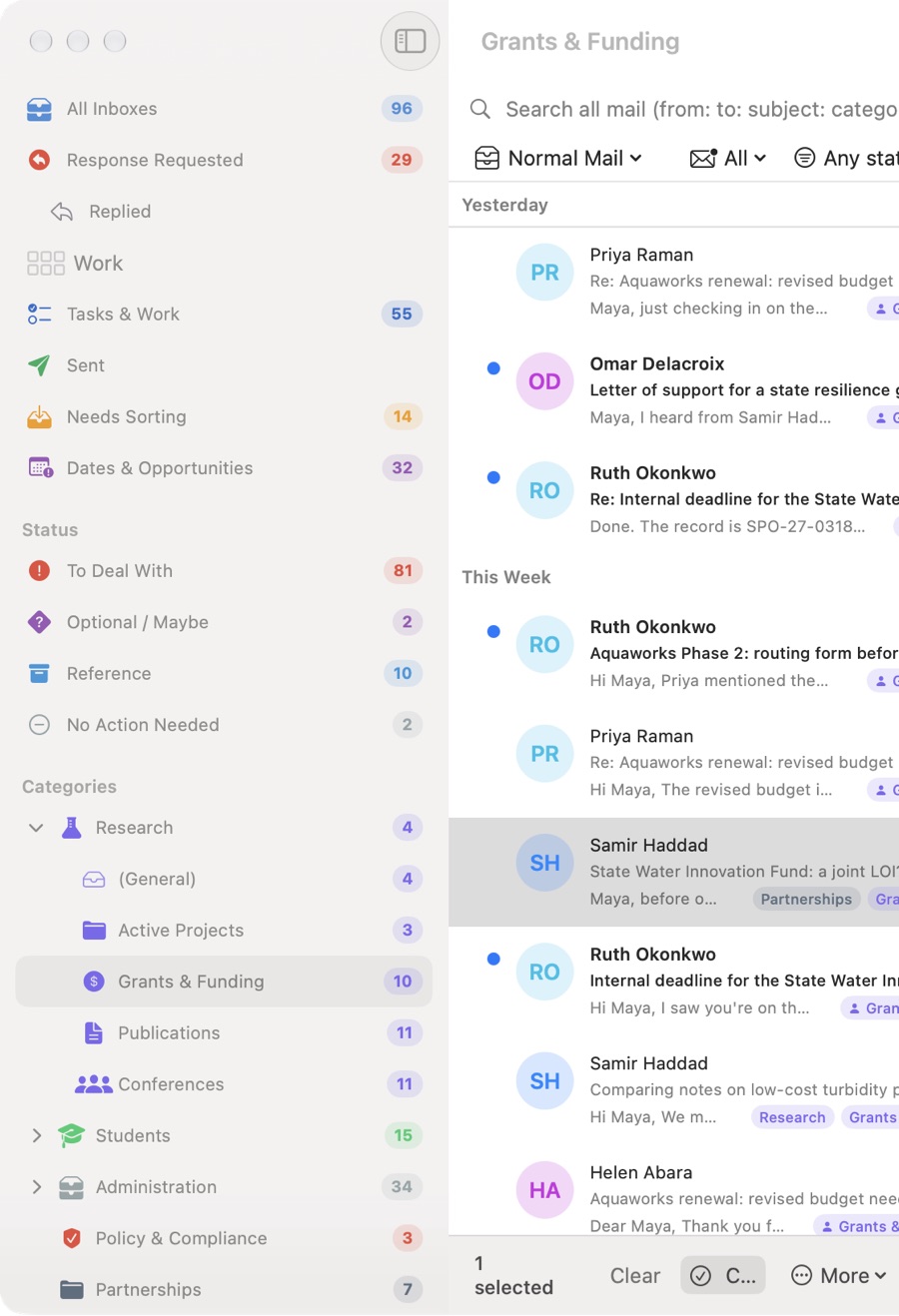
Spillway supports categories you control rather than a fixed filing system imposed by the software.
A message can belong to more than one category, and you can confirm or correct suggestions. Categories can evolve without silently erasing the meaning of earlier decisions.
Review uncertainty instead of hiding it
AI is useful without being certain.
Spillway is designed to make ambiguous suggestions reviewable rather than collapsing every model output into a final answer. Human confirmations, corrections, and rejections remain distinguishable from automated evidence.
Focus on one kind of work at a time
Different kinds of mail demand different kinds of attention.
Spillway uses focused views and review workflows so scheduling, documents, requests, reading, and other work do not all compete for attention at once.
The Mac and iPhone can use different interaction patterns while preserving the same underlying meaning.
Work through several messages at once
Bulk actions should still behave like understandable user actions.
Spillway is designed so a bulk action still behaves like one understandable user action.
Let categories evolve
A useful taxonomy changes over time.
Spillway is designed to support reorganizing and retiring categories while preserving historical meaning. More destructive changes are guarded so the system does not silently rewrite the past.
Find requests and commitments
Messages often contain work that is easy to lose: requests, promises, follow-ups, and things someone is waiting on.
Spillway is designed to surface those signals while keeping the interpretation connected to its source and reviewable by the user.
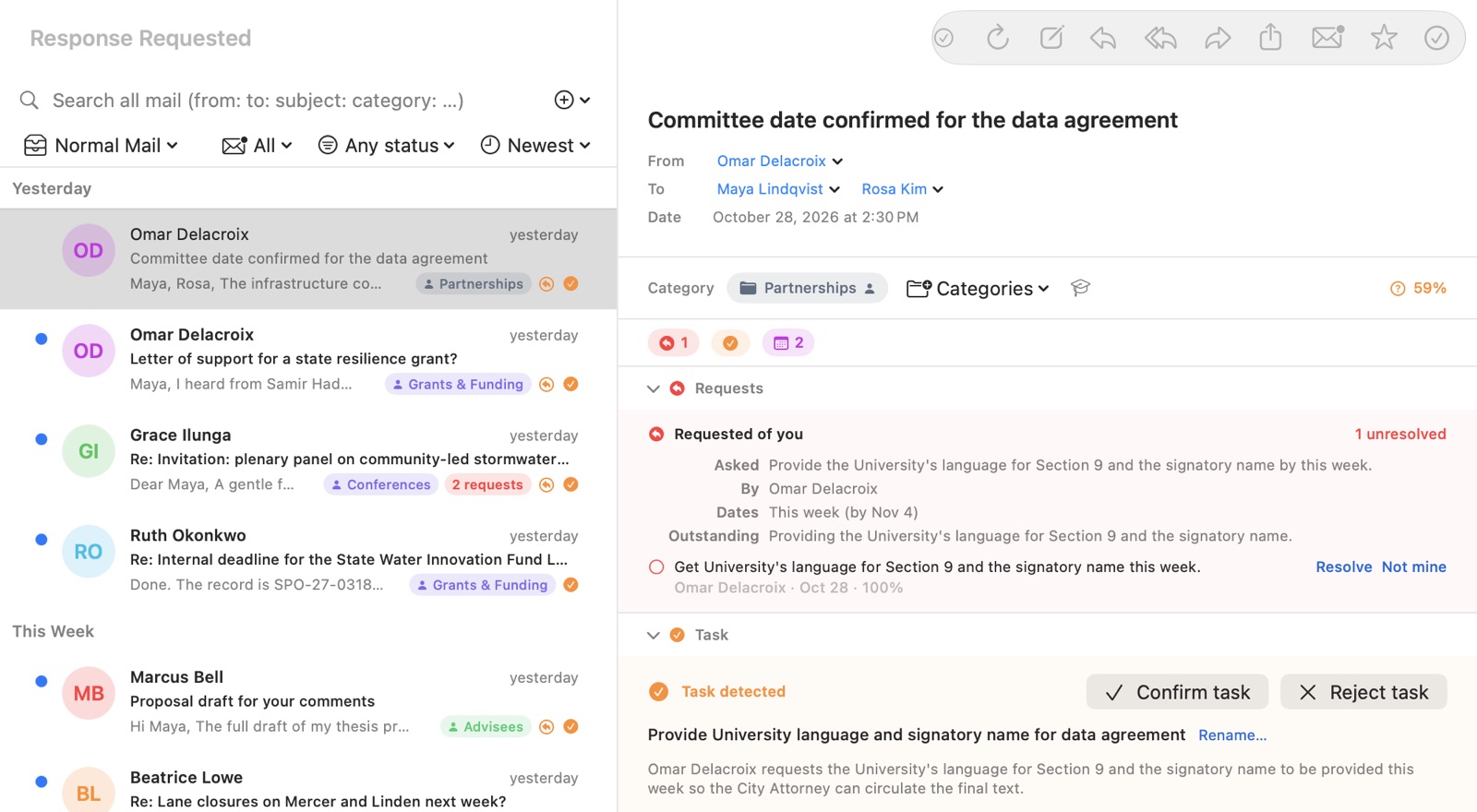
A task Spillway detects is labeled as detected until you act on it. Confirming, completing, rejecting, or saying it is not yours are your decisions, and they are recorded as yours.
See your work as opportunities
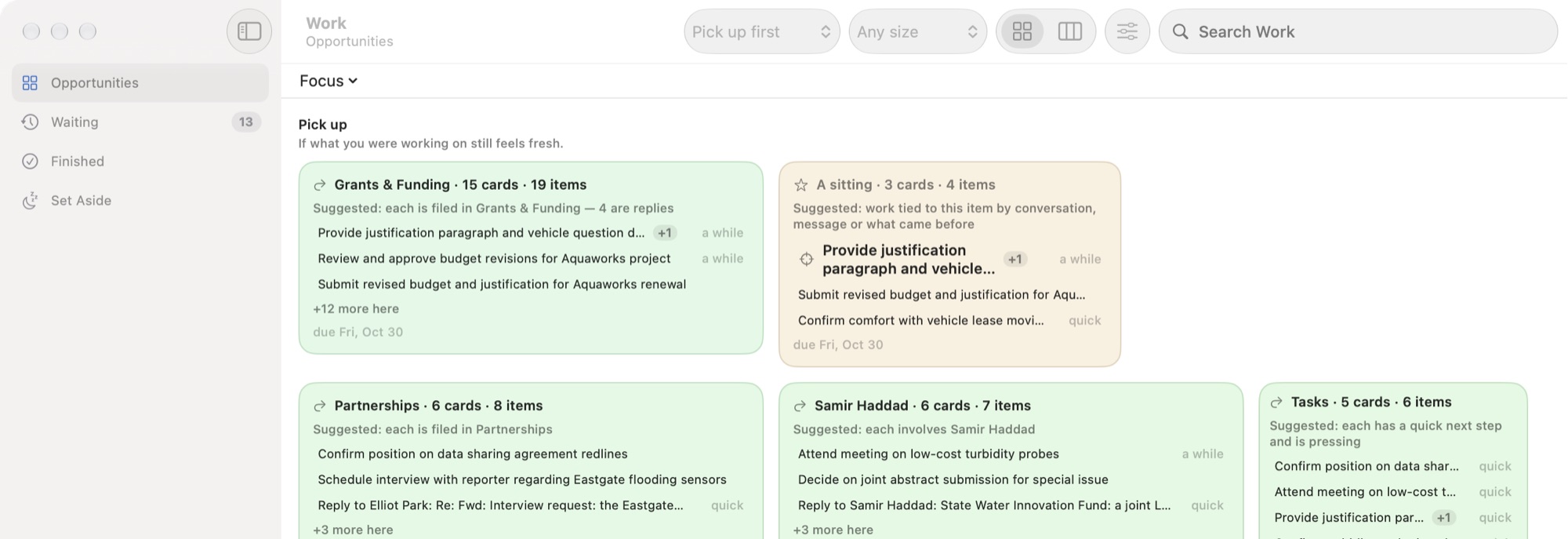
On Mac, the Work window gathers open work from your mail, along with work you add yourself, into one workspace beside your inbox.
It suggests opportunities: work that makes sense to do together because it shares a category, a person, or a conversation, or because each piece is quick. Pick up suggests work that continues what you were recently doing; Fresh start suggests work for starting clean. You can reorder the canvas, choose which sizes of opportunity to show, and tell Spillway when an item does or does not belong with the others.
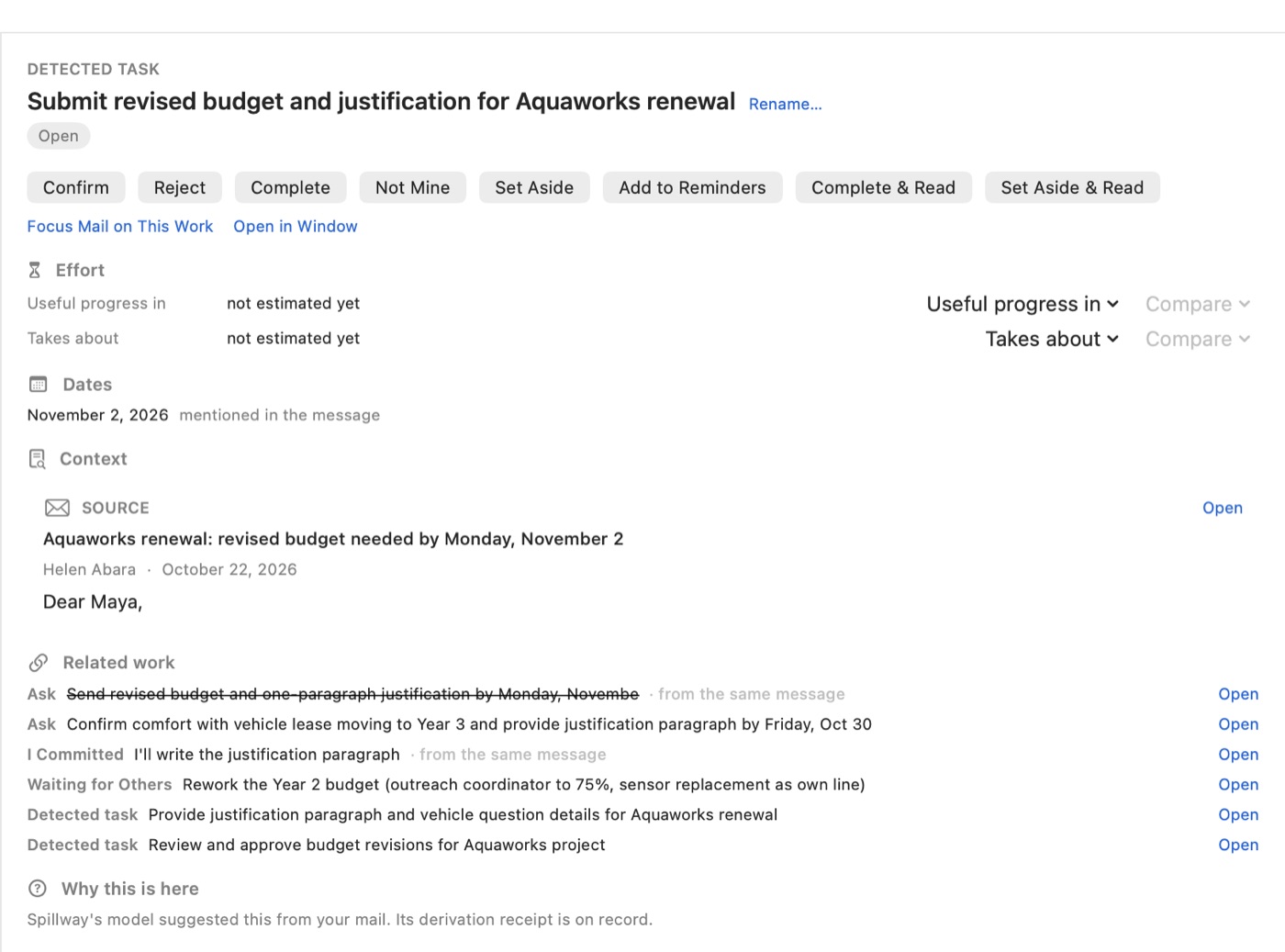
Open an opportunity, by double-clicking it or pressing Return, to see its items. Choose one to see its detail: why it exists, its dates, the message it came from, and related work from the same conversation.
Waiting holds work whose next step is someone else's. Set Aside and Finished hold what you have put down or completed.
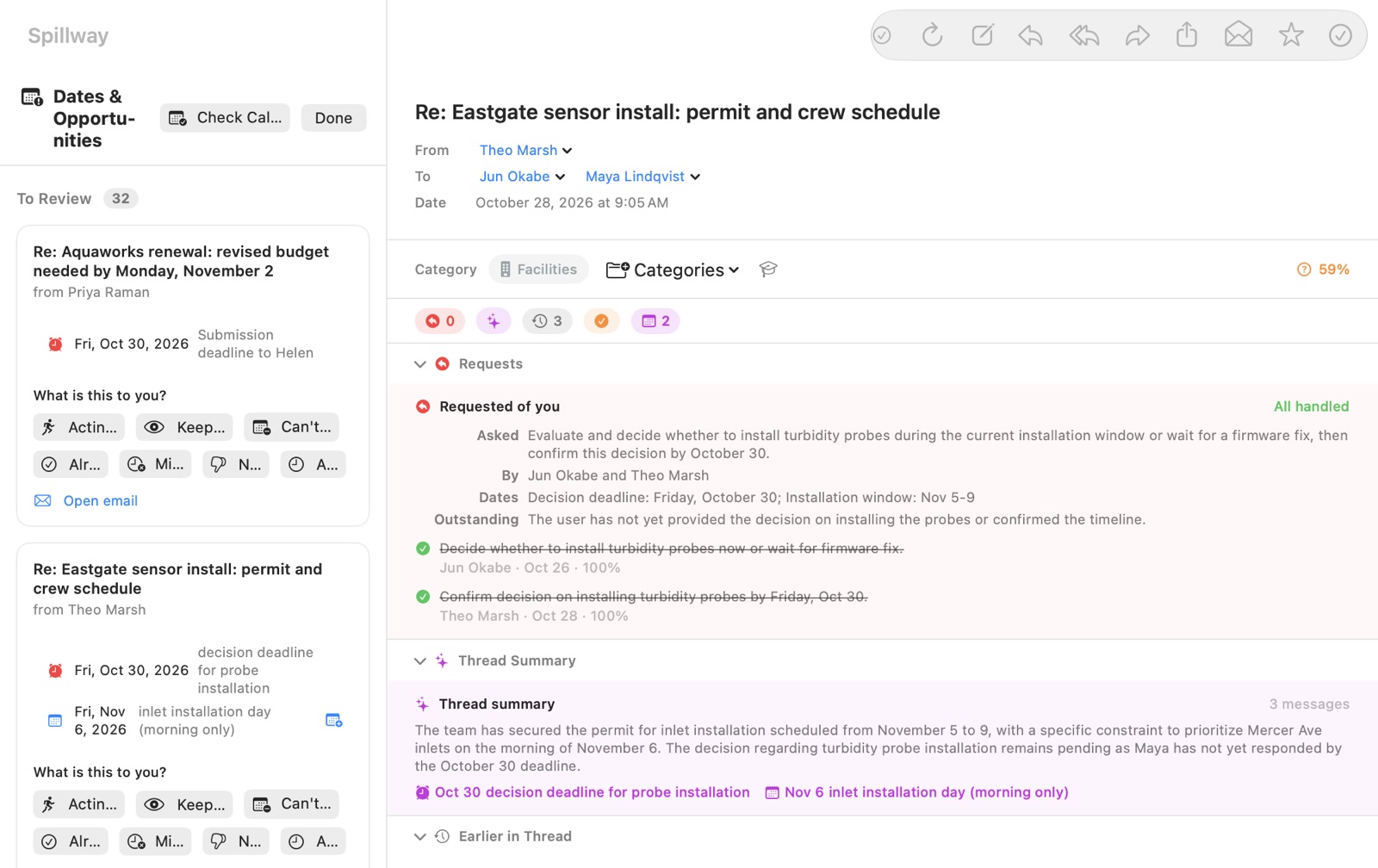
Notice dates and opportunities
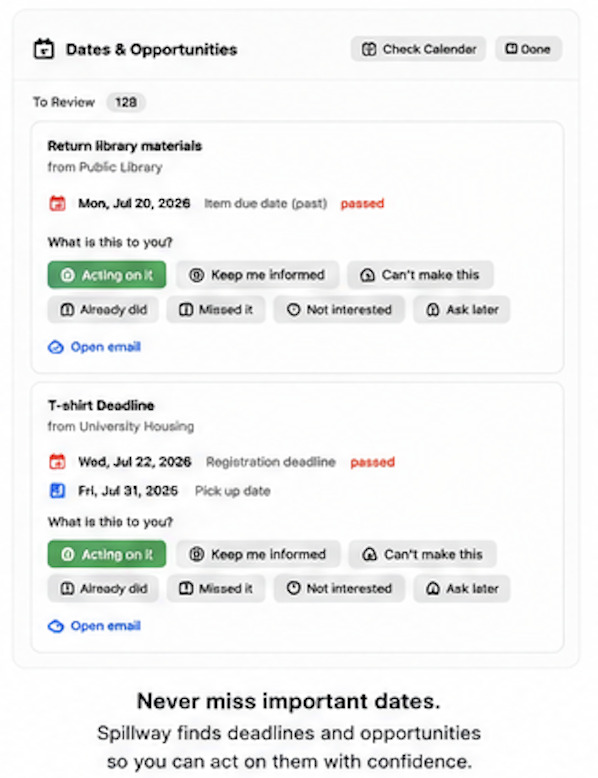
Spillway can identify potentially important dates, deadlines, meetings, registrations, renewals, and opportunities.
Finding a date is different from deciding what the date means. The system is designed to preserve that distinction and let users decide what should become an action.
Work with attachments
Attachments are part of the work, not an afterthought.
Spillway is designed to support receiving, opening, sending, and handing off files while preserving the message and account context they belong to.
Work across accounts
A combined workspace should not erase account boundaries.
Spillway is designed to keep account ownership, recipients, provider actions, privacy choices, and source identity explicit even when several accounts are visible together.
Choose where AI runs
Spillway supports local AI and optional cloud AI providers that the user explicitly configures.
Where inference runs is a privacy and resource decision. It does not change the system's basic rule that AI output remains evidence or a proposal rather than automatic human authority.
Continue across devices
Spillway is designed so useful state can move between supported Apple devices without changing what that state means.
A synchronized machine suggestion remains a machine suggestion, and a human decision remains a human decision. Moving information between devices should not change what it means.
Compose, reply, and send safely
Email actions can have real consequences.
Spillway is designed to keep account choice, recipients, thread context, drafts, attachments, and provider effects explicit rather than relying on hidden assumptions.
Recover from mistakes
Useful software should expect interruption and error.
Spillway includes and continues to develop undo, recovery, backup, integrity, and guarded-change mechanisms so mistakes are easier to correct without rewriting more history than necessary.
Learn from older information
Older mail contains useful evidence about relationships, projects, recurring work, and past decisions.
Spillway is designed to revisit historical information in bounded background work while keeping resource use subordinate to interactive use of the computer.
Build useful context before asking AI
Smaller local models work better when they receive the right context instead of being asked to rediscover everything from raw text.
Spillway is designed to provide a compact set of relevant facts, relationships, and prior decisions before asking AI to reason about a message.
Keep the architecture open to new sources
Email is the first source, not the final boundary.
The same ideas are intended to support additional mail providers, calendars, documents, chat systems, links, and other approved inputs without forcing every source into Gmail-specific concepts.
How Spillway is built · From data to knowledge · Private beta
Documentation provenance: Iterative human–AI construction. See Documentation Provenance.