Visual Guide
Spillway is still in private beta, so its interface will continue to change. This page is a tour of the main Mac views as they are today, shown as full windows.
About these screenshots. They show a fictional demonstration mailbox. The people, organizations, and messages are invented, and every address uses a reserved example domain. The categories, requests, dates, summaries, and work you see are Spillway's own results: the app's local AI processed that mail the same way it processes yours. The images are unedited window captures, only resized; nothing is composited or blurred. Relative times ("yesterday", "overdue since…") were true on the day each screenshot was taken.
Work
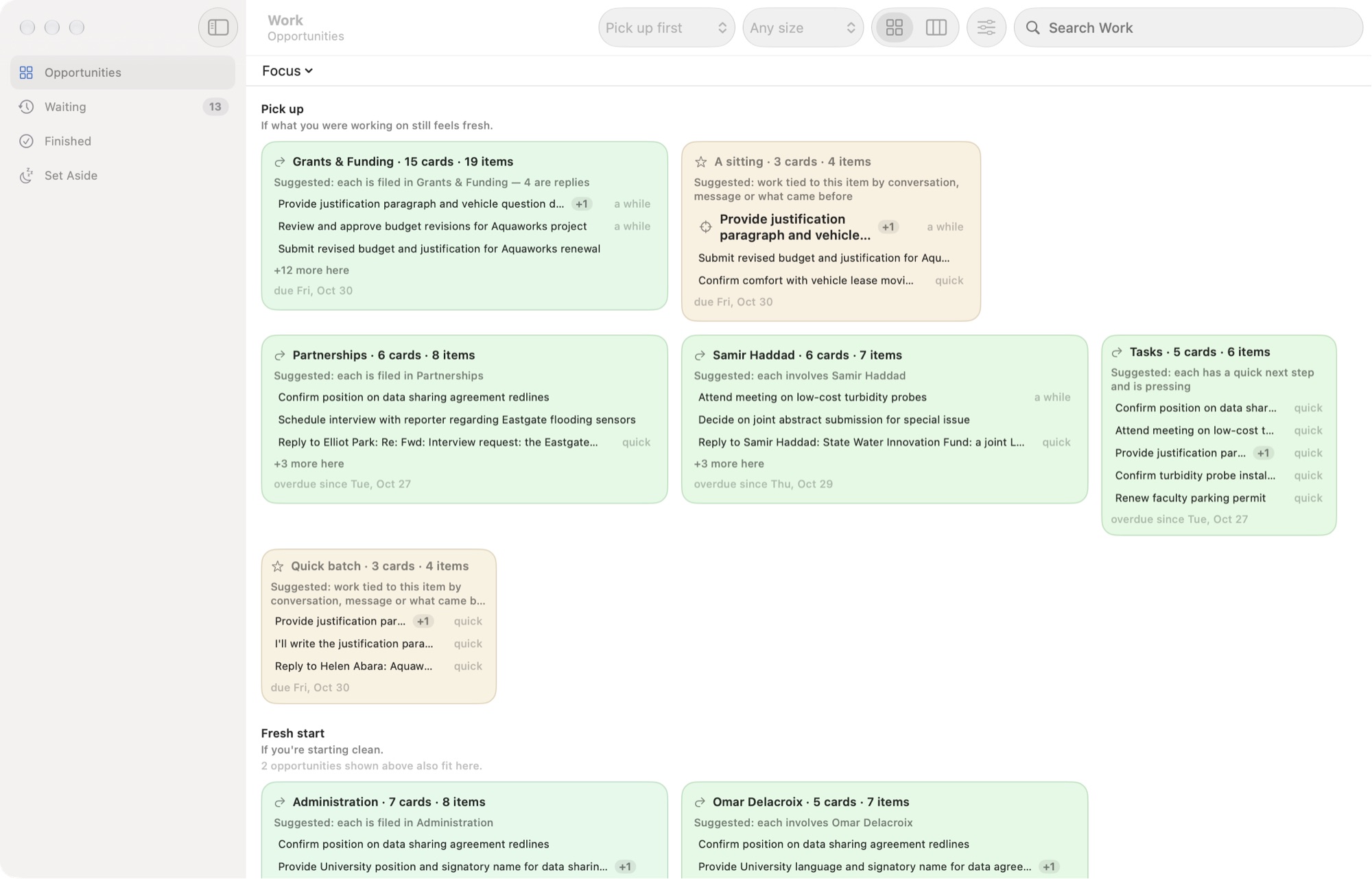
The Work window is a workspace of its own, beside the mail window. Opportunities shows open work as suggested groupings: everything filed in one category, everything involving one person, one conversation's related asks, or a batch of quick items. Pick up suggests work that continues what you were recently doing, and Fresh start suggests work for starting clean. This screenshot uses the toolbar's Pick up first order.
Every card says why its items are together ("Suggested: each is filed in Grants & Funding"). These groupings are Spillway's suggestions, not projects. Click a card to select it; double-click it or press Return to open it. Waiting holds work whose next step is someone else's.
Inside an opportunity
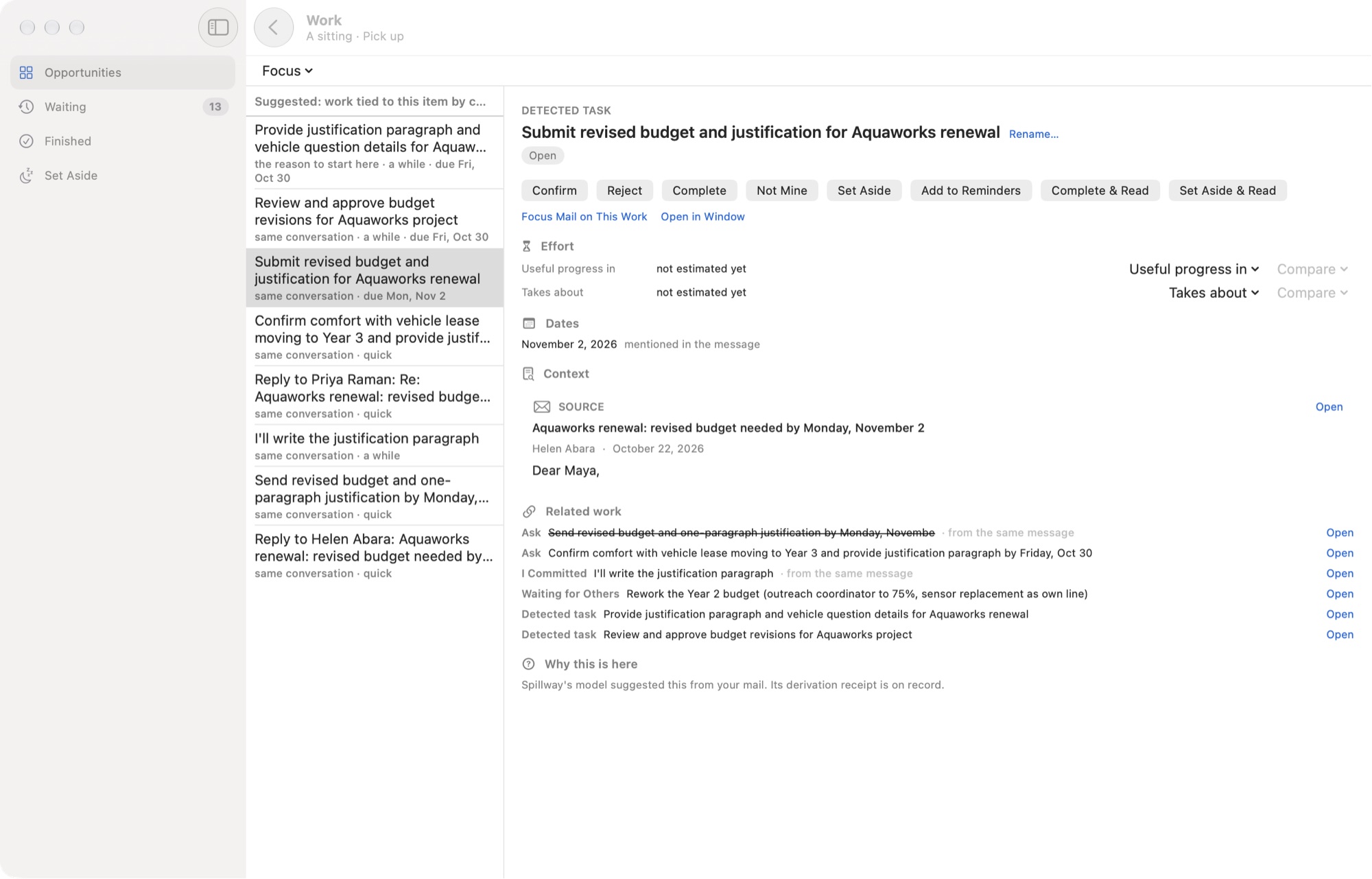
Opening an opportunity lists its items. Choose one to see its detail: what kind of work it is (here, a detected task, which Spillway found and you have not yet confirmed), its actions, its dates, Context (the message it came from), the related asks and commitments from the same conversation, and why it is here.
Mail with requests
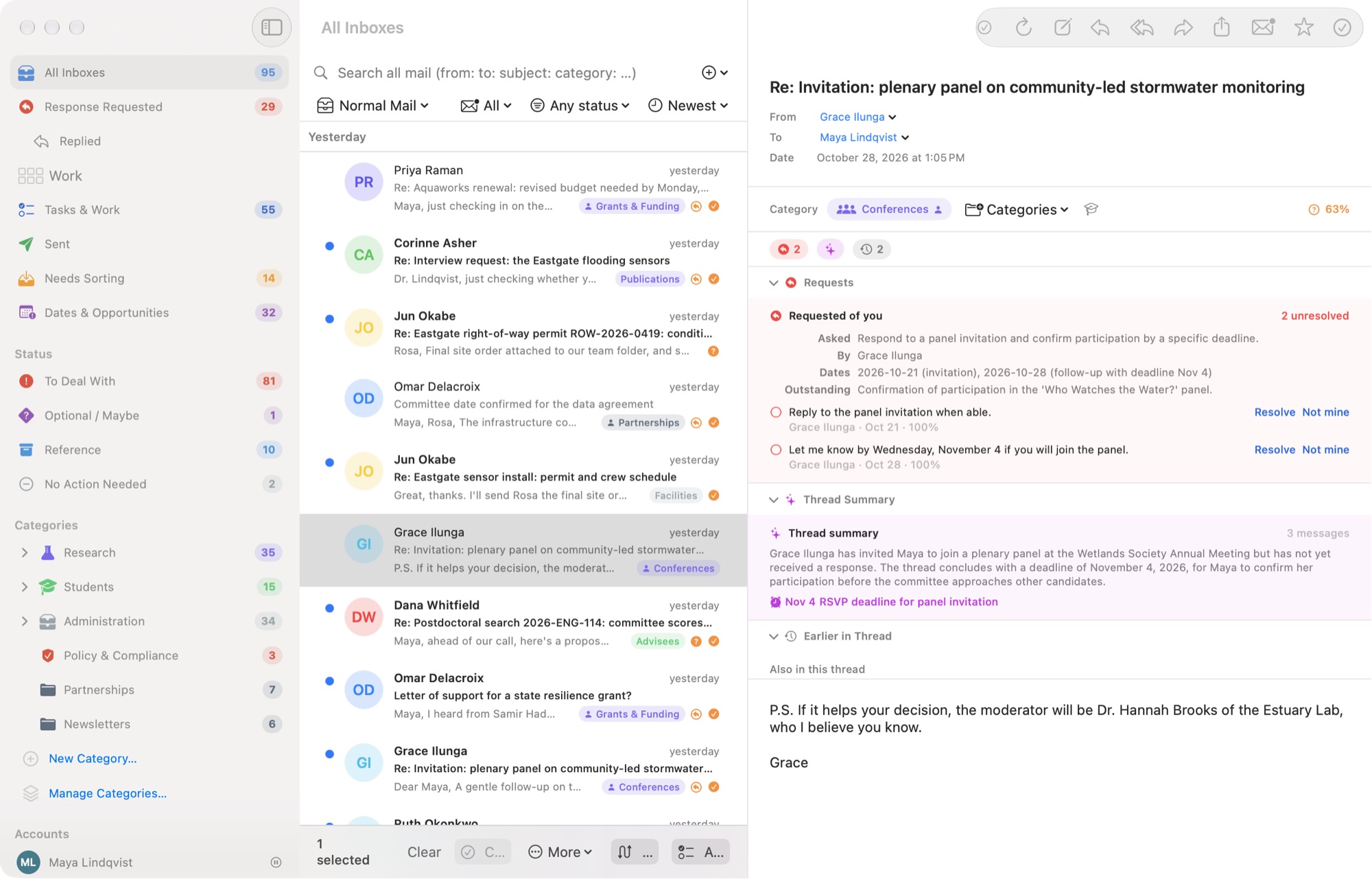
The mail window works like a familiar Mac email client. When a message asks something of you, Spillway shows what was asked, by whom, and by when, along with a summary of the thread. You resolve each request, or mark it as not yours.
Response Requested
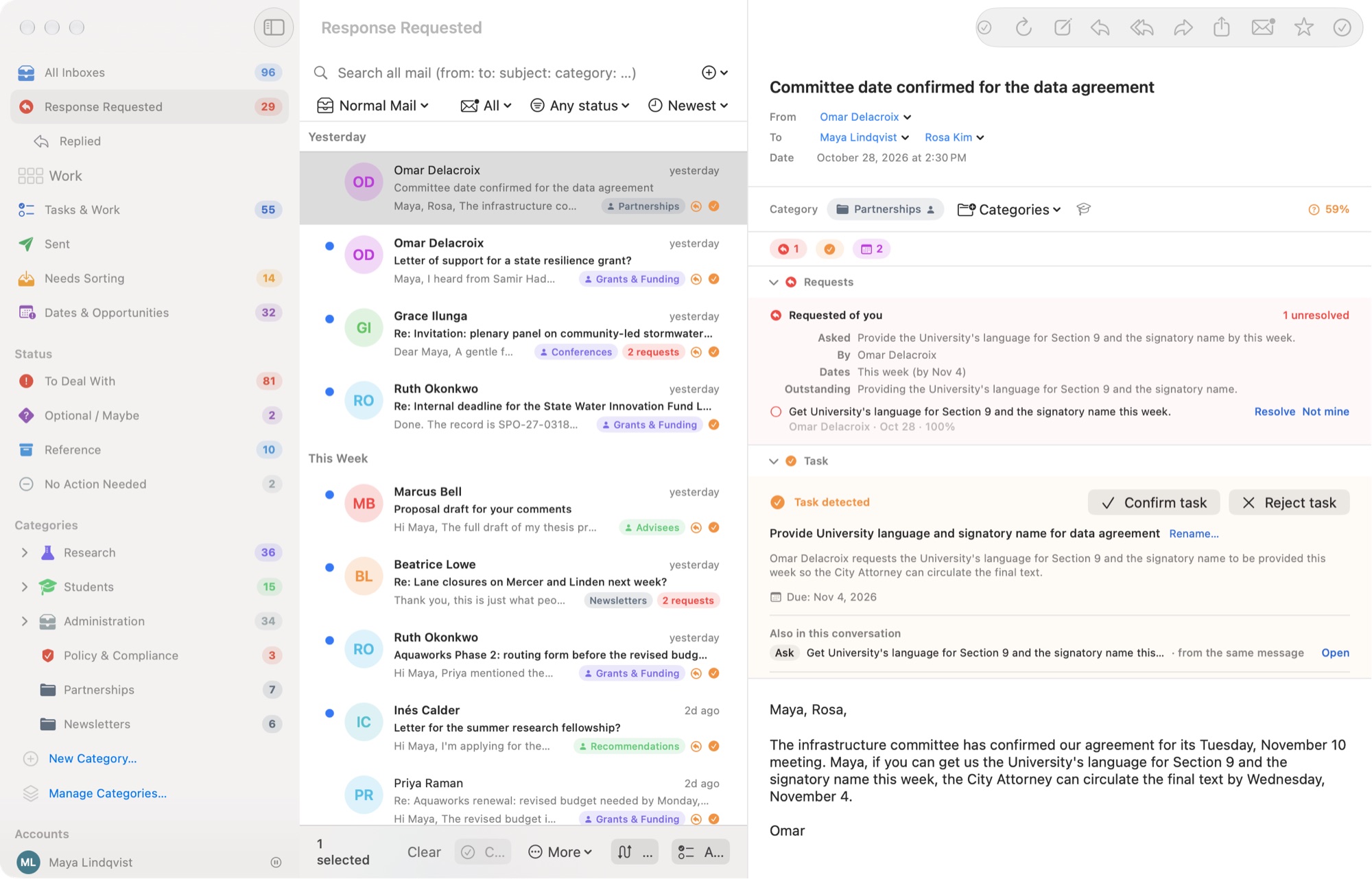
Response Requested gathers the messages that are waiting on you. When Spillway detects a task in a message, it appears as Task detected with Confirm task and Reject task, so a suggestion never silently becomes your commitment.
Dates & Opportunities
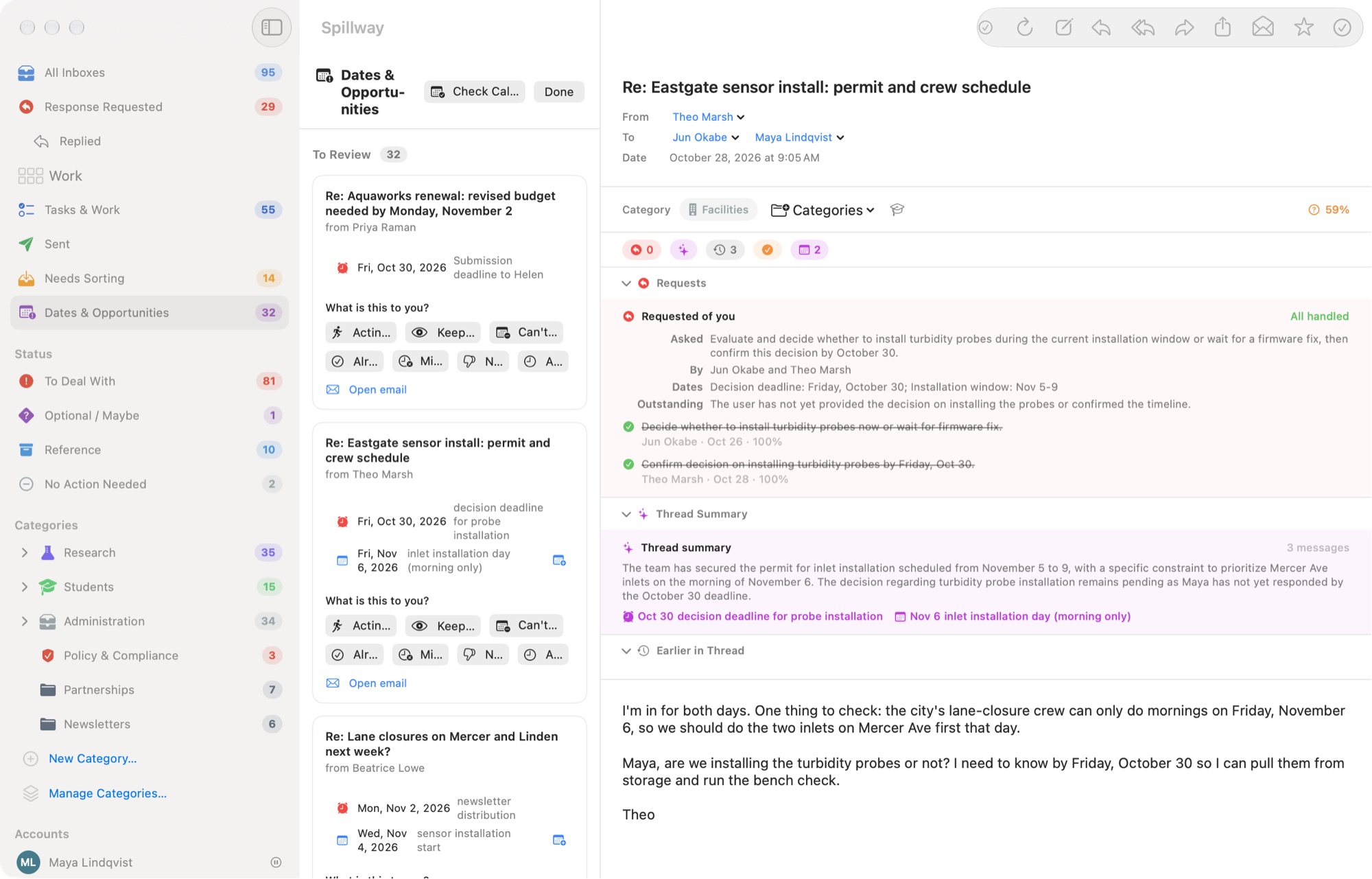
This view surfaces possible deadlines, meetings, registrations, renewals, and other time-sensitive information as candidates for review, not as silent calendar automation. Each one asks What is this to you? Finding a date is different from deciding what it means.
Categories
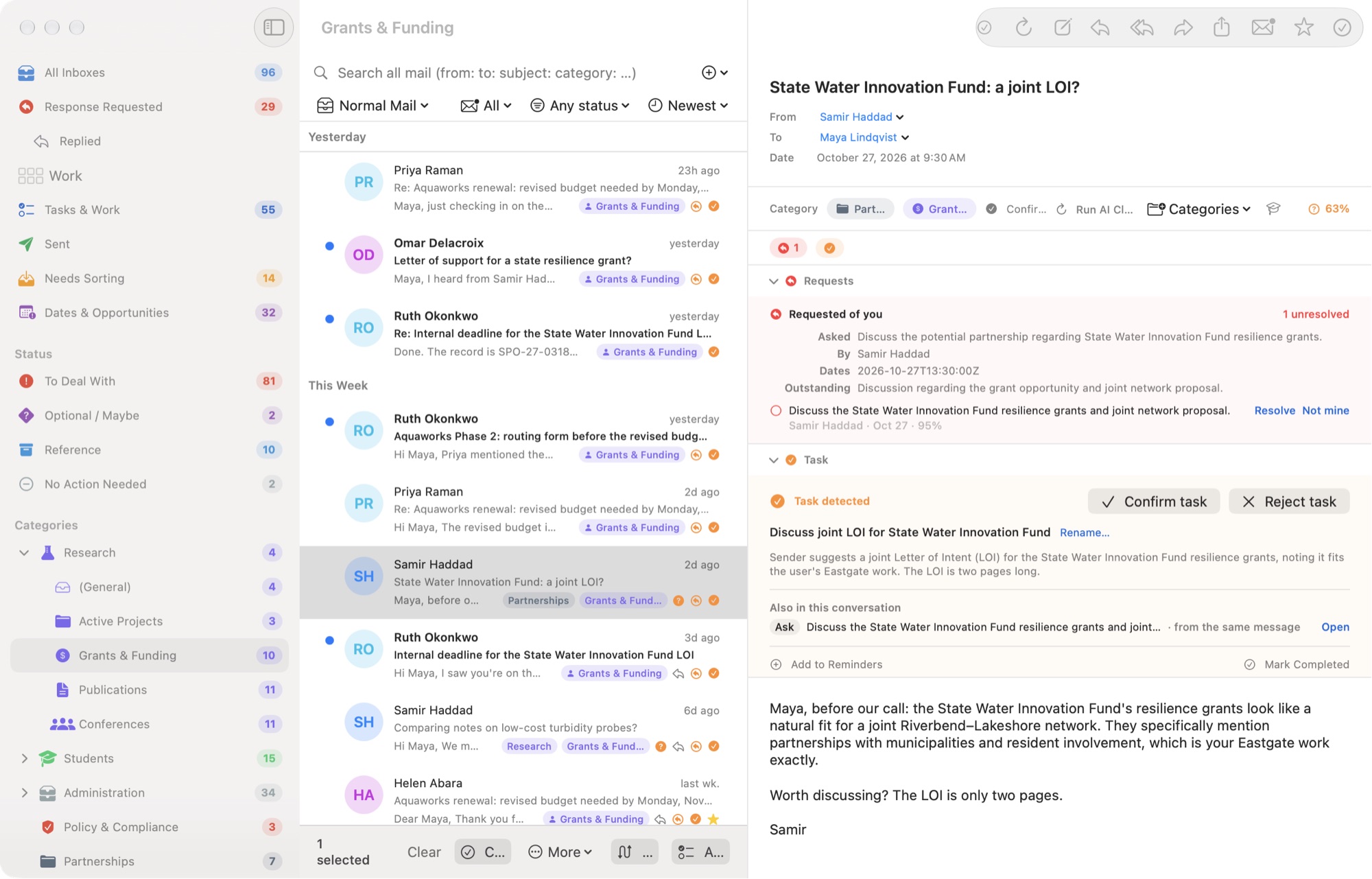
Categories are yours: nest them, file a message in more than one, and confirm or correct Spillway's suggestions. Manage Categories owns structure and lifecycle (move, rename, retire, delete, restore). Needs Sorting is where you work through suggested category memberships while reading the full message.
Normal, Focus, and Review
Normal Mail, Focus, and Review are peer workspace modes. The semantic mode model is shared between Mac and iPhone, while each platform presents it differently: persistent workspace chrome on Mac and progressively disclosed phone-native controls on iPhone.
This split keeps the behavior consistent without forcing desktop layout assumptions onto a phone.
AI settings
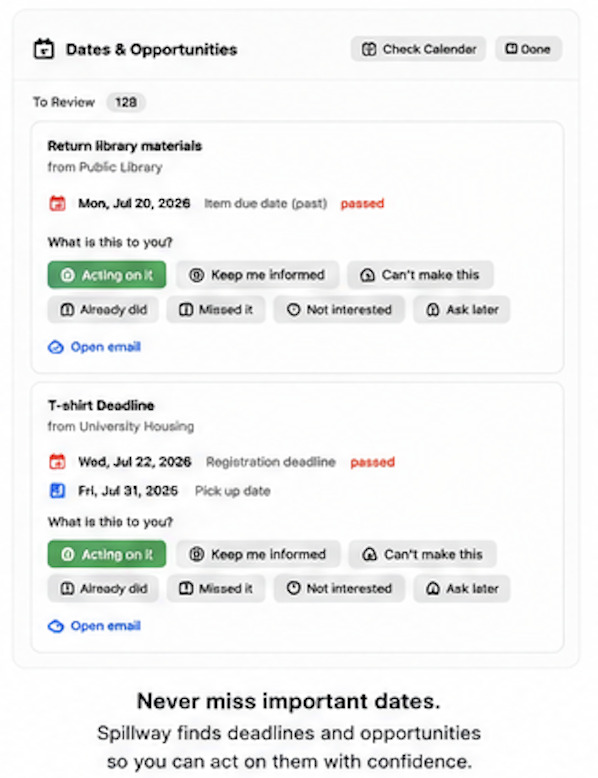
AI settings show where processing occurs and which provider is configured. Local AI can run through Ollama on the Mac; cloud providers can be enabled explicitly by the user. This screenshot is from an earlier beta build.
Current status
These screenshots show work-in-progress beta builds. Labels and layout will continue to evolve. Public screenshots must not expose real correspondents, message subjects, body text, account identifiers, or private category names; that is why they use a fictional mailbox.
Documentation provenance: Iterative human–AI construction. See Documentation Provenance.